Enhance Your Design with the Versatile Grocery Icon Pack
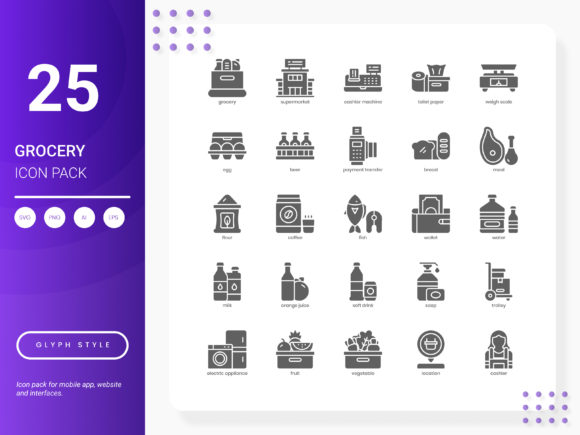
Whether you're a creator, marketer, or small business owner, the Grocery Icon Pack is a must-have for your design toolkit. This pack includes 25 stylish and modern icons that can be seamlessly integrated into various projects, from website designs to mobile applications and more.
What's in the Grocery Icon Pack?
The Grocery Icon Pack is a collection of 25 icons that cover a wide range of grocery-related services and ideas. Each icon is designed to be fresh, trendy, and highly versatile, making it perfect for enhancing any visual project. The pack comes in six different file formats (AI, EPS, SVG, PNG, PDF, JPG), ensuring compatibility with a variety of design tools and platforms.
Perfect for Website Design
For web designers, the Grocery Icon Pack offers a simple yet effective way to add a professional touch to e-commerce sites, grocery delivery services, and food blogs. These icons can help guide users through the site, highlight key features, and improve overall user experience. For example, using a shopping cart icon can make the checkout process more intuitive, while a fresh produce icon can draw attention to special deals on fruits and vegetables.
Mobile Applications and Presentations
Mobile app developers and presentation creators can also benefit from this icon set. In mobile apps, these icons can be used to create a visually appealing interface, making it easier for users to navigate and interact with the app. For presentations, the icons can add a polished and professional look, helping to convey information more effectively. Imagine using a grocery list icon to introduce a new feature in a grocery planning app, or a shopping bag icon to discuss the benefits of a loyalty program in a business presentation.
Infographics and Analytical Reports
When it comes to infographics and analytical reports, the Grocery Icon Pack can help you present data and insights in a clear and engaging way. For instance, if you're creating an infographic about the benefits of organic produce, you can use the organic certification icon to highlight key points. Similarly, in an analytical report, you might use a chart icon to represent sales data or a basket icon to indicate customer preferences.
Educational and Creative Projects
Educators and hobbyists can also find value in the Grocery Icon Pack. Teachers can use these icons to create visually rich lesson plans and educational materials, such as a nutrition unit where a fruit and vegetable icon can help illustrate the importance of a balanced diet. Hobbyists, like bloggers and content creators, can use these icons to enhance their posts and articles, making them more engaging and informative.
Considerations Before Using the Grocery Icon Pack
Before integrating the Grocery Icon Pack into your projects, consider the following:
- Audience Relevance: Ensure the icons align with your target audience's interests and needs. For example, if you're designing a children's educational game, choose icons that are fun and easy to understand.
- Consistency: Maintain a consistent style throughout your project. The Grocery Icon Pack is designed to have a cohesive look, but it's important to ensure it fits with the overall aesthetic of your design.
- Functionality: Consider how the icons will function in your project. Will they be clickable, part of a navigation system, or purely decorative? Understanding their role will help you choose and place them effectively.
By keeping these considerations in mind, you can make the most of the Grocery Icon Pack and create designs that are not only visually appealing but also functional and user-friendly.
If you have any suggestions for what we should include in our next update, please feel free to write us. We're always looking for ways to improve and better serve our creative community.